# dotnet new Templates
The Particular [dotnet new](https://learn.microsoft.com/dotnet/core/tools/dotnet-new) templates make it easier to bootstrap a variety of common project and code-related scenarios.
> [!NOTE]
> The `dotnet new` command creates a new project, configuration file, or solution based on the specified template. The command provides a convenient way to initialize a valid SDK-style project. The command calls the template engine to create the artifacts on disk based on the specified template and options. More information is available in the [dotnet-new documentation](https://learn.microsoft.com/dotnet/core/tools/dotnet-new).
## Installation
Install using the following command:
```txt
// install latest version
dotnet new install ParticularTemplates
```
If a specific version is needed, follow the guidance in the [dotnet new install documentation](https://learn.microsoft.com/en-us/dotnet/core/tools/dotnet-new-install#examples).
## NServiceBus Endpoint
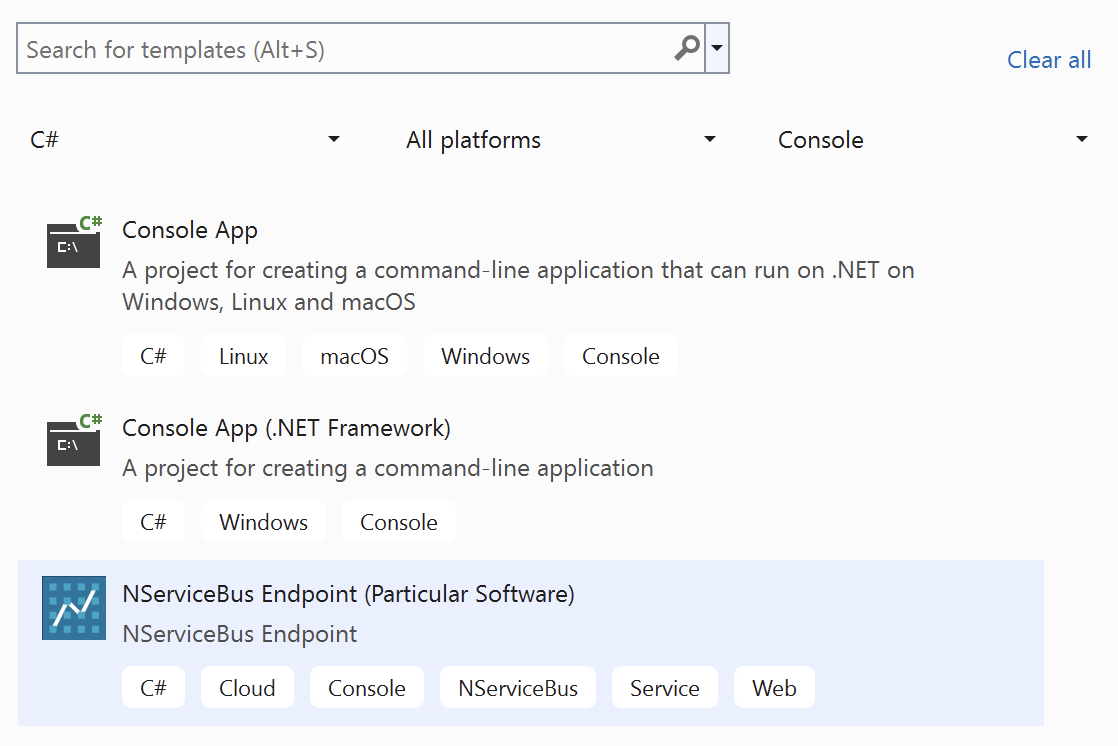
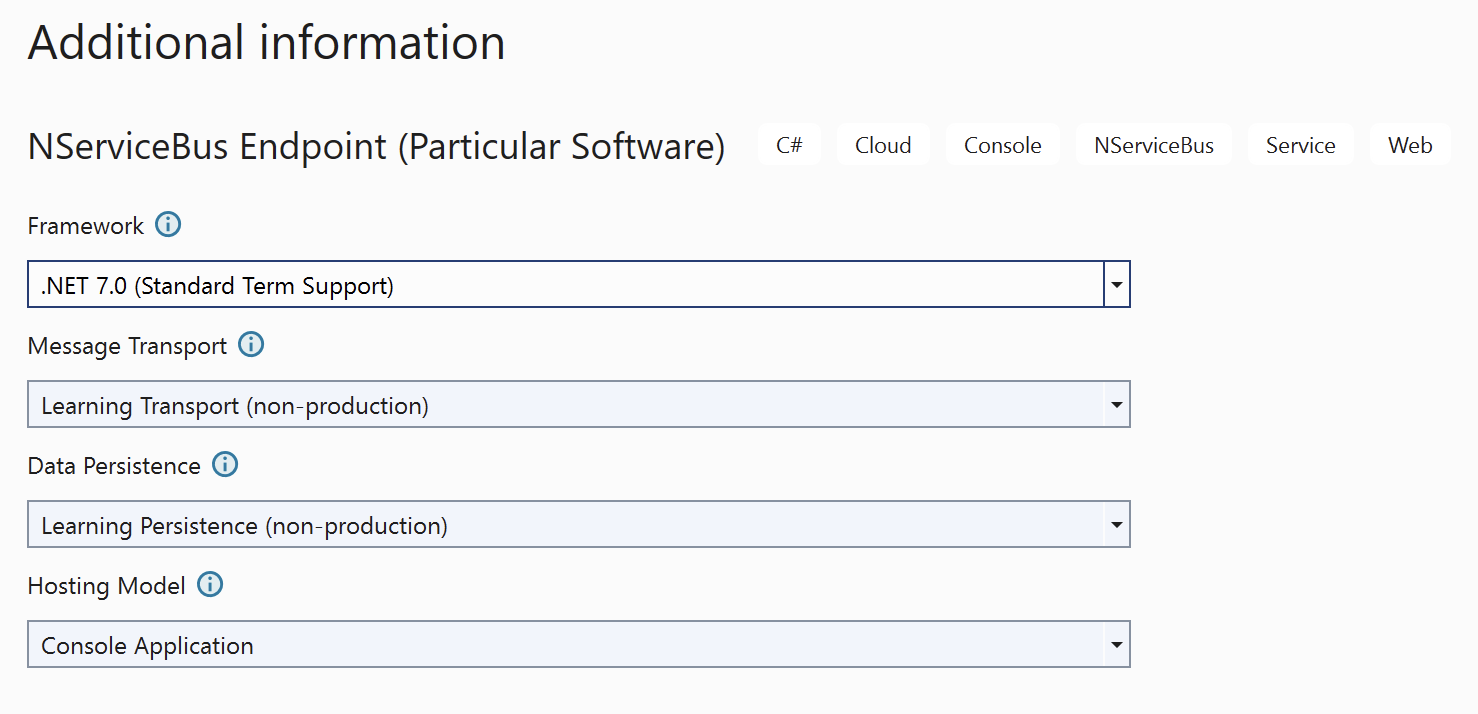
The `nsbendpoint` template creates a C# project for an NServiceBus endpoint. By selecting options, the endpoint is preconfigured with choices of:
* Target framework
* [Message transport](/transports/index.md)
* [Persistence](/persistence/index.md)
* [Hosting model](/nservicebus/hosting/index.md), which can be one of:
* Console Application
* [Windows service hosting](/nservicebus/hosting/windows-service.md)
* [Docker container hosing](/nservicebus/hosting/docker-host/index.md)
Once the package is installed, the template can be found in the Visual Studio **New Project** dialog:
After naming the project and selecting a location for it on disk, the **Additional information** screen will allow customizing the template:
### Command-line usage
The default usage will create a Console Application using [Learning Transport](/transports/learning/index.md), [Learning Persistence](/persistence/learning/index.md):
```txt
dotnet new nsbendpoint --name MyEndpoint [options]
dotnet sln add "MyEndpoint/MyEndpoint.csproj"
```
Parameters allow the selection of message transport, persistence, and hosting model, including [Windows Service](/nservicebus/hosting/windows-service.md) or [Docker container](/nservicebus/hosting/docker-host/index.md) hosting.
### Options
| Option | Description |
|-|-|
| `-n`,
`--name` | The name of the endpoint to create. |
| `-f`,
`--framework` | The target framework for the project.
One of: `net8.0`, `net7.0` (default), `net6.0`, `net48`, `net472` |
| `-t`,
`--transport` | The message queue (transport) to use.
One of `LearningTransport` (default), `AzureServiceBus`, `AzureStorageQueues`, `SQS`, `RabbitMQ`, `SQL`. |
| `-p`,
`--persistence` | Where to store data. This should be the same place business data is stored.
One of `LearningPersistence` (default), `MSSQL`, `MySQL`, `PostgreSQL`, `Oracle`, `CosmosDB`, `AzureTable`, `RavenDB`, `MongoDB`, `DynamoDB` |
| `-hm`,
`--hosting` | The hosting model to use.
One of: `ConsoleApp` (default), `WindowsService`, `Docker`|
For more details on available options and choices, use this command to get help:
```txt
dotnet new nsbendpoint --help
```
## NServiceBus Handler
The `nsbhandler` item template creates a C# class for a message handler.
Message handlers can be created using the Visual Studio New Item dialogue or the command line.
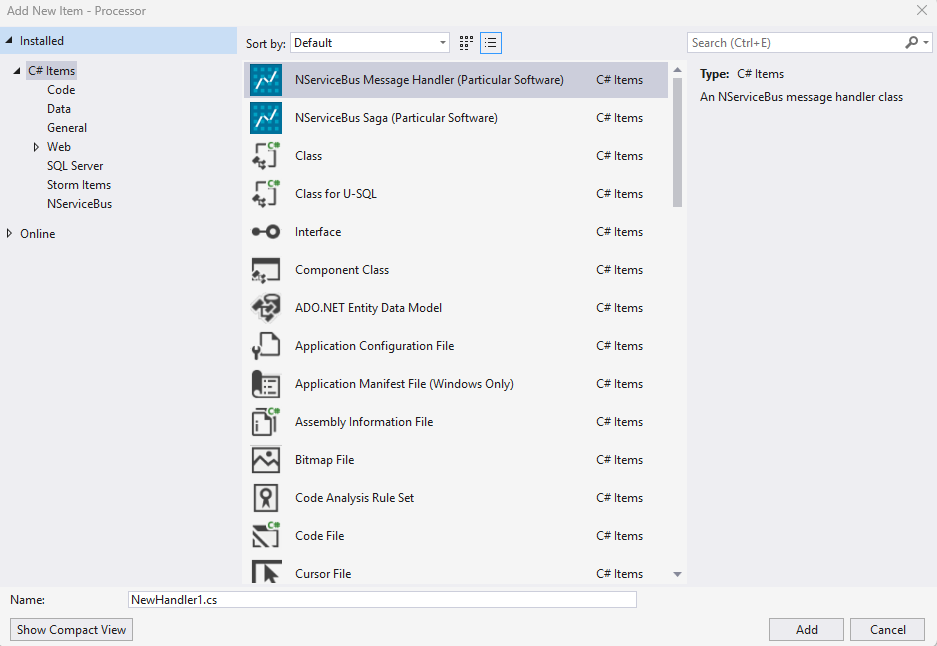
To create a message handler class that implements `IHandleMessages`:
```txt
dotnet new nsbhandler --name ClassName --messagetype MyMessage
```
### Options
| Option | Description |
|-|-|
| `-n`,
`--name` | The name of the message handler class to create. |
| `-mt`,
`--messagetype` | The message type for the handler to implement. Default: `MessageType` |
For more details on available options and choices, use this command to get help:
```txt
dotnet new nsbhandler --help
```
## NServiceBus Saga
The `nsbsaga` item template creates a C# class for a saga that includes the saga class, saga data class, handlers for two message types, a custom timeout class, and the `ConfigureHowToFindSaga` method.
Message handlers can be created using the Visual Studio New Item dialogue or the command line.
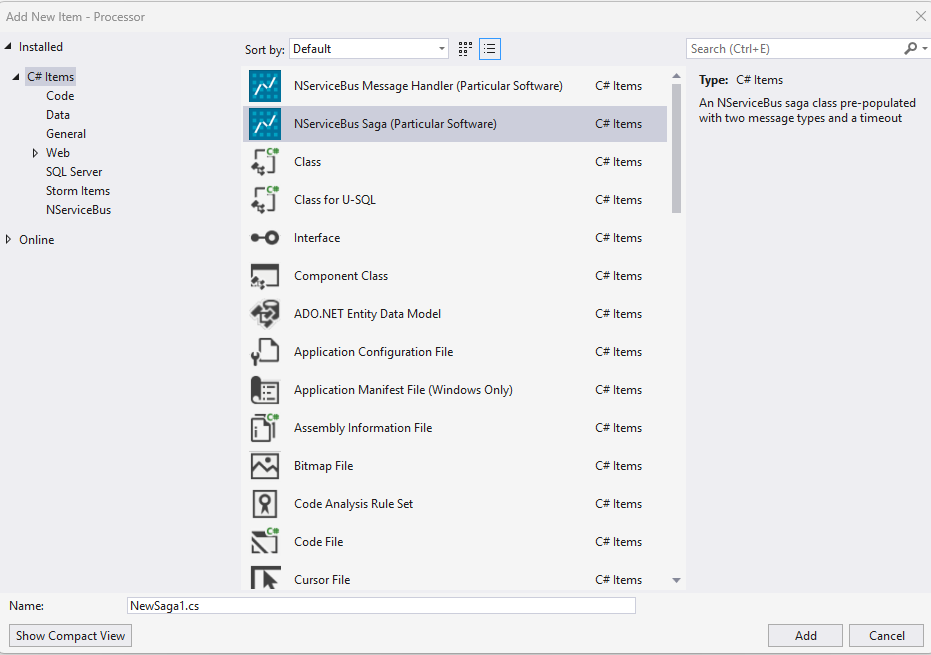
To create a saga:
```txt
dotnet new nsbsaga --name ClassName --messagetype1 Message1 --messagetype2 Message2
```
### Options
| Option | Description |
|-|-|
| `-n`,
`--name` | The name of the saga class to create. |
| `-mt2`,
`--messagetype` | The first message type that will be handled by the saga. Default: `MessageType1` |
| `-mt1`,
`--messagetype` | The second message type that will be handled by the saga. Default: `MessageType2` |
For more details on available options and choices, use this command to get help:
```txt
dotnet new nsbsaga --help
```