











This sample shows how to send messages from an ASP.NET Core web application to an NServiceBus endpoint using several ASP.NET frameworks:
- MVC
- Web API
- Razor Pages
- Blazor
Run the sample
There are three projects in the solution:
Server- A console application which hosts the NServiceBus endpoint that handles messages sent from theWebAppprojectWebApp- An ASP.NET web application that sends messages to theServerendpoint using the frameworks listed aboveShared- A library which contains the message definition, shared by both theServerandWebAppprojects
Both the Server and WebApp projects must be running. When the WebApp is run, a browser window will open to display links for sending messages using different ASP.NET frameworks.
Excluding the Web API link, which sends a message from a GET request, the other links will display a version of the following form for sending the message using the specified framework:
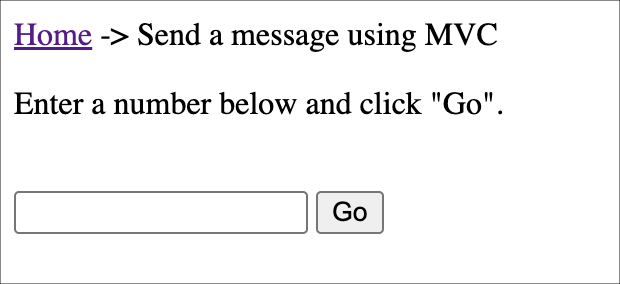
Changing the number in the text box changes the Id property of the command sent to the Server which can be observed in console output, as well as on the web page.
Initializing NServiceBus
In the WebApp project, open Program. and look at the endpoint configuration:
var builder = WebApplication.CreateBuilder(args);

var endpointConfiguration = new EndpointConfiguration("Samples.Web.WebApplication");

var transport = endpointConfiguration.UseTransport(new LearningTransport());
transport.RouteToEndpoint(typeof(Command), "Samples.Web.Server");

endpointConfiguration.UseSerialization<SystemJsonSerializer>();

builder.UseNServiceBus(endpointConfiguration);
The builder. line configures the web application to start an NServiceBus endpoint and registers an instance of IMessageSession for dependency injection.
Sending a message
Regardless of the framework used, a message is sent using an injected instance of IMessageSession. This is an API used to send messages outside of the NServiceBus message handling pipeline (i.e. from MVC controllers, Razor Pages, and Blazor components).
Each framework example uses IMessageSession. to send the following message to the Server endpoint:
public class Command :
    IMessage
{
    public int Id { get; set; }
}
The basic steps of sending a message using ASP.NET are the same:
- Inject
IMessageSession - Use
IMessageSessionto send a message
Reference the framework example most relevant to your needs.
MVC
The MVC implementation can be found at WebApp/:
[HttpPost]
public async Task<IActionResult> SendMessageMvc(string textField)
{
    if (!int.TryParse(textField, out var number))
    {
        return View();
    }
    var command = new Command
    {
        Id = number
    };

    await messageSession.Send(command);
    ViewBag.ResponseText = $"Sent message with Id {command.Id}";

    return View();
}
Web API
The Web API implementation can be found at WebApp/:
[HttpGet]
public async Task<ActionResult<string>> SendMessageWebApi()
{
    var message = new Command();
    await messageSession.Send(message);
    return Ok("Message sent to endpoint using Web Api - refresh to send another");
}
Razor Pages
The Razor Pages implementation can be found at WebApp/:
public async Task<IActionResult> OnPostAsync(string textField)
{
    if (string.IsNullOrWhiteSpace(textField))
    {
        return Page();
    }

    if (!int.TryParse(textField, out var number))
    {
        return Page();
    }
    var command = new Command
    {
        Id = number
    };

    await messageSession.Send(command);
    ResponseText = $"Sent message with Id {command.Id}";

    return Page();
}
Blazor
The Blazor implementation can be found at WebApp/:
protected async Task HandleValidSubmit()
{
    Logger.LogInformation("HandleValidSubmit called");

    // Process the valid form
    if (string.IsNullOrWhiteSpace(_userInput))
    {
        await Task.CompletedTask;
    }

    if (!int.TryParse(_userInput, out var number))
    {
        return;
    }
    var command = new Command
    {
        Id = number
    };

    await MessageSession.Send(command);
    _responseText = $"Sent message with Id {command.Id}";
}
There is a Blazor action in the MVC controller that is used to render the Blazor component used in the example.
Handling the message
In the Server project, the CommandMessageHandler class handles the message that is sent from the WebApp:
public class CommandMessageHandler(ILogger<CommandMessageHandler> logger) :
    IHandleMessages<Command>
{
    public Task Handle(Command message, IMessageHandlerContext context)
    {
        logger.LogInformation($"Hello from CommandMessageHandler! Received Command with Id: {message.Id}");

        return Task.CompletedTask;
    }
}
This class implements the NServiceBus interface IHandleMessages where T is the specific message type being handled; in this case, the Command message. When a message arrives in the input queue, it is deserialized and then, based on its type, NServiceBus instantiates the relevant message handler classes and calls their Handle method, passing in the message object.