This sample demonstrates how to write metrics information to the trace log.
There are many ways to look at the trace log. One way is to use the DbgView utility provided by Sysinternals.
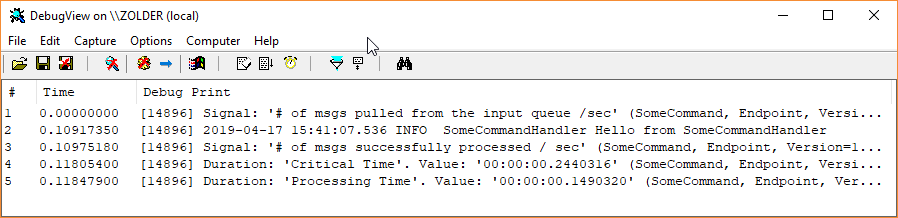
Running the sample
- Run the solution in the Visual Studio debugger. A console application will start.
- Press the 'enter' key to send a message.
- Check the Visual Studio debug output window for metrics information being written to the trace log.
Sending metrics data to Trace Log
var metrics = endpointConfiguration.EnableMetrics();

metrics.RegisterObservers(
    register: context =>
    {
        foreach (var duration in context.Durations)
        {
            duration.Register(
                observer: (ref DurationEvent @event) =>
                {
                    Trace.WriteLine(
                        $"Duration: '{duration.Name}'. Value: '{@event.Duration}' ({@event.MessageType})");
                });
        }

        foreach (var signal in context.Signals)
        {
            signal.Register(
                observer: (ref SignalEvent @event) =>
                {
                    Trace.WriteLine($"Signal: '{signal.Name}' ({@event.MessageType})");
                });
        }
    });