Version 6.13 of ServiceControl and above include integrated ServicePulse. Integrated ServicePulse is hosted in the same host process as the ServiceControl Error instance, and is automatically configured to use it.
Benefits:
- No need for a standalone ServicePulse installation. Install and manage ServiceControl and ServicePulse in one place.
- No need to configure ServicePulse with the ServiceControl Error instance url. Integrated ServicePulse is preconfigured to connect to the ServiceControl installation it runs in.
- No need to upgrade ServicePulse. Each new version of ServiceControl includes the latest ServicePulse. Every time ServiceControl is upgraded, integrated ServicePulse is upgraded as well.
- No need for a reverse proxy in front of ServicePulse, and fewer moving parts as a result. ServicePulse and the Error instance API are served from the same address, so there is nothing to route or rewrite and CORS does not apply. Making ServicePulse available to other machines is a matter of configuring the Error instance.
Drawbacks:
- A ServiceControl Monitoring instance is not served through integrated ServicePulse. A standalone ServicePulse container can front both ServiceControl and Monitoring on a single address with its built-in reverse proxy, whereas a Monitoring instance used with integrated ServicePulse must be reachable by the browser directly.
- Can not use a single ServicePulse instance to control multiple ServiceControl installations. Each ServiceControl Error instance can be configured with a dedicated integrated ServicePulse.
Standalone ServicePulse installations continue to function normally and can be used in conjunction with integrated ServicePulse.
Enable integrated ServicePulse
Integrated ServicePulse can be enabled in the ServiceControl Error instance configuration.
When upgrading an existing ServiceControl Error instance via ServiceControl Management, the user is prompted to enable integrated ServicePulse.
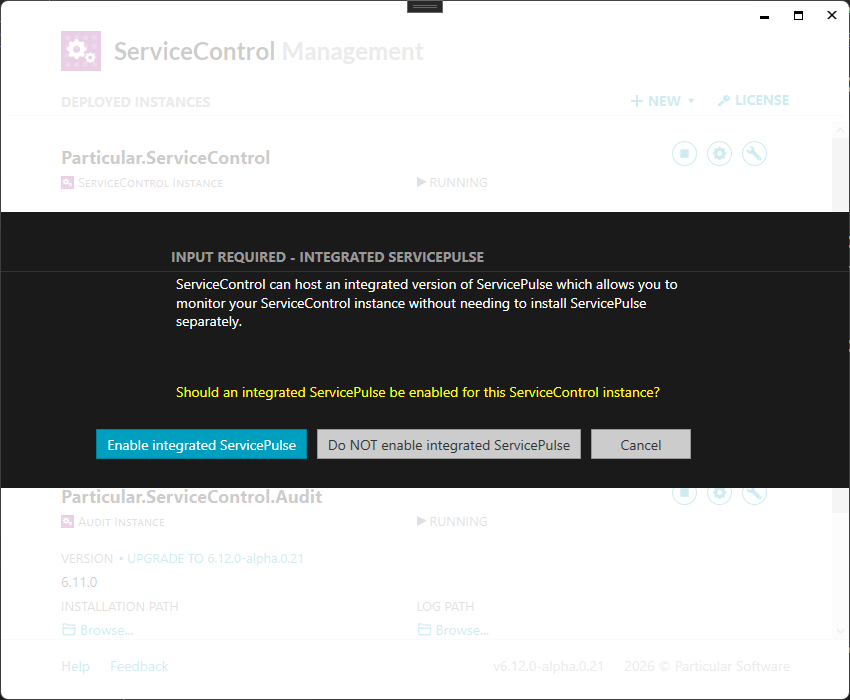
When upgrading an existing ServiceControl Error instance via Powershell or docker, update the configuration manually to enable integrated ServicePulse.
Once integrated ServicePulse is enabled, standalone ServicePulse installations are no longer needed and can be removed.
Configuring integrated ServicePulse
Integrated ServicePulse shares settings with the ServiceControl Error instance it is hosted by (the hosting instance).
- All host settings (such as host name and port number) are shared with the hosting instance. Integrated ServicePulse is available at the root url (
http:/in a default installation). To make it reachable from other machines, see Remote access to integrated ServicePulse./ localhost:33333/ - Most security settings are shared with the hosting instance. There is no need to enable header forwarding for ServicePulse specifically, and CORS is no longer required. Use the security features of ServiceControl to control access to ServiceControl data.
- ServicePulse specific authorization configuration is still required.
- Integrated ServicePulse is automatically configured to connect to the hosting instance. This configuration is read-only and cannot be changed.
- Connection to a ServiceControl Monitoring instance can be configured via the ServicePulse UI.
Upgrade integrated ServicePulse
There is no need to upgrade integrated ServicePulse separately. Each release of ServiceControl contains the latest version of ServicePulse, and each new release of ServicePulse will trigger a release of ServiceControl. Upgrading the ServiceControl Error instance will upgrade integrated ServicePulse automatically.