The usage data collection functionality requires ServicePulse version 1.40 or later, and ServiceControl version 5.4 or later.
A usage report is a file generated by ServicePulse that shows messaging throughput of a system based on identified NServiceBus endpoints and the throughput of their corresponding queues. To enable this functionality in ServicePulse, usage reporting setup must be completed first. Once configured, no ongoing maintenance is needed, and the Usage page will display throughput for each queue detected.
This report is needed when licensing the Particular Platform and must be downloaded and sent manually. Before submitting the report, sensitive data can be masked and queues that do not map to NServiceBus endpoints (and therefore, do not count toward licensing) can be marked as such.
Customers who are not able to use ServicePulse can contact their Account Manager directly or reach out to the Particular Software Sales team.
Viewing usage data in ServicePulse
The Usage page in ServicePulse has two tabs:
- Detected endpoint queues
- Detected broker queues (only displayed when using a broker transport)
For each detected endpoint queue and broker queue, the maximum daily throughput is displayed.
Detected endpoint queues
This list is comprised of endpoint queues that have a clear connection to an NServiceBus endpoint. These can be marked to indicate their type.
Changes made to the endpoint type are automatically saved for future reporting, so it is important to remember to make an update if the endpoint type changes.
Detected broker queues
For NServiceBus transports that allow querying the broker, there may be additional information on the Detected Broker Queues tab. These are queues detected on the broker that cannot be automatically linked to an NServiceBus endpoint. These queues will be included in the usage report, but their corresponding endpoints can also be marked to indicate their type.
This feature will not be displayed for non-broker transports like MSMQ and Azure Storage Queues.
Downloading a usage report
Click Download Report to generate a usage report as a JSON file. This report contains the queues from both the detected endpoint queues and detected broker queues tabs. The report also includes the endpoint type selections made on screen, and any specified words to mask will be obfuscated.
The Download Report button is disabled if there is less than 24 hours worth of usage data.
The report file must be provided to Particular Software on request; it is not automatically uploaded or sent. Once Particular Software receives the report, the reported queues and throughput are analyzed to determine licensing needs.
Endpoint type indicators
The following endpoint type indicators are available to help categorize endpoints appropriately:
NServiceBus Endpoint
Known NServiceBus endpoint. These endpoints are included in licensing calculations as they represent active NServiceBus endpoints processing business messages.
Send-Only Endpoint
An endpoint that only sends messages and does not process any messages. These endpoints do need a valid license, but do not count towards licensing costs.
Transactional Session Processor Endpoint
Send-only endpoints that make use of the transactional session feature do technically process messages but also do not count towards licensing costs.
Gateway or Bridging Endpoint
These are endpoints that are either part of the Gateway or Messaging Bridge infrastructure and do not count towards licensing costs.
Particular Platform Endpoint
These "audit", "error", and "ServiceControl" endpoints are part of the platform infrastructure endpoint and do not count towards licensing costs.
No longer in use
An NServiceBus endpoint that is no longer in use, having zero throughput in the corresponding queue. Note that these endpoints need to be at zero throughput for at least three consecutive months to be excluded from licensing calculations.
Not an NServiceBus Endpoint
Not an NServiceBus endpoint. These are broker queues, possibly used by other non-NServiceBus systems, or other messaging infrastructure and should not count towards licensing costs.
Bulk endpoint type updates
The filter option can be used for bulk updating endpoint types matching a certain naming pattern.
- Find the endpoints/queues that need to be bulk updated
- Press the
Set Endpoint Type for all items belowbutton to select which endpoint type the filtered results should be set to.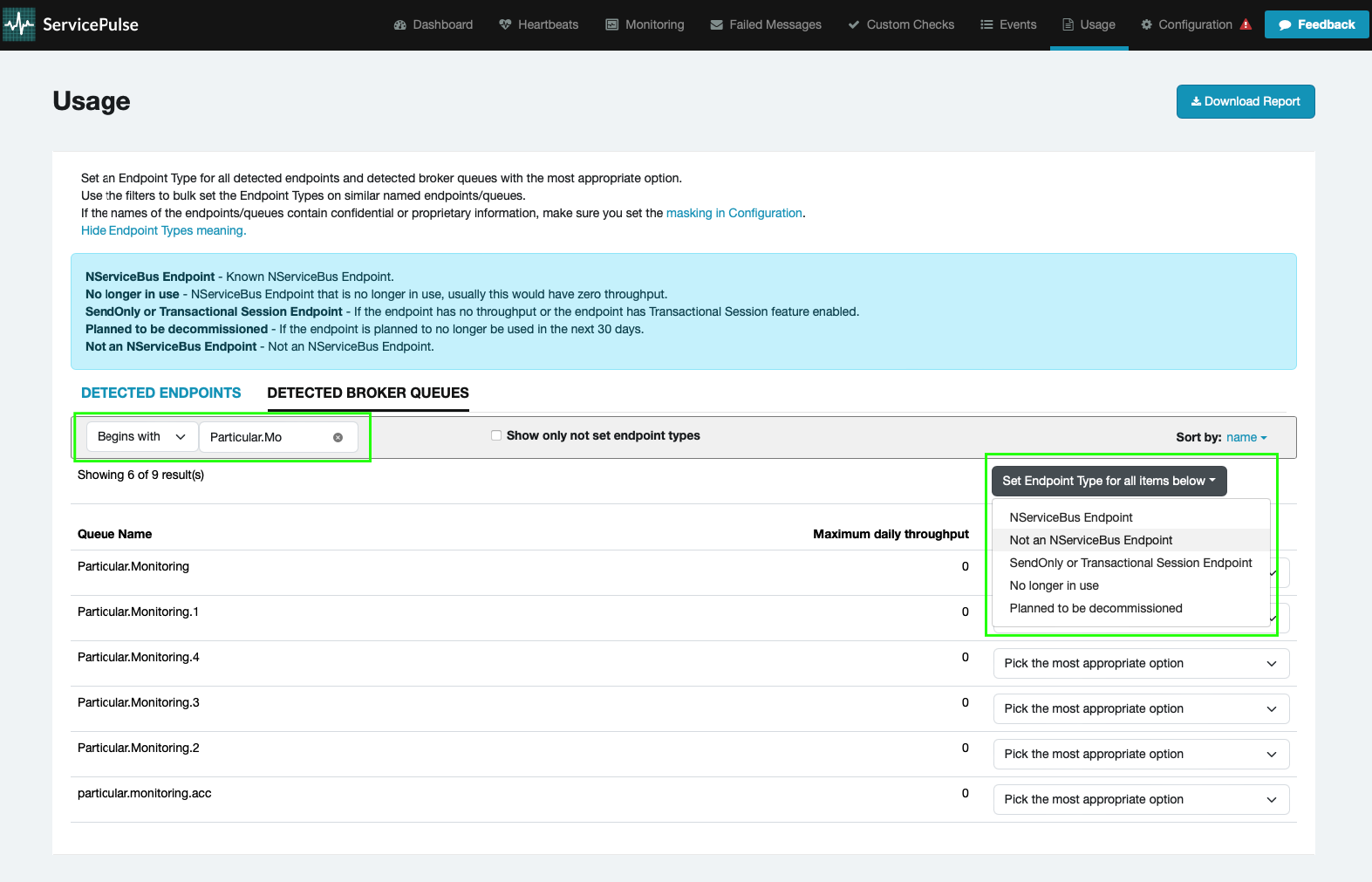
- A confirmation box appears - press
Yesto proceed with the bulk update.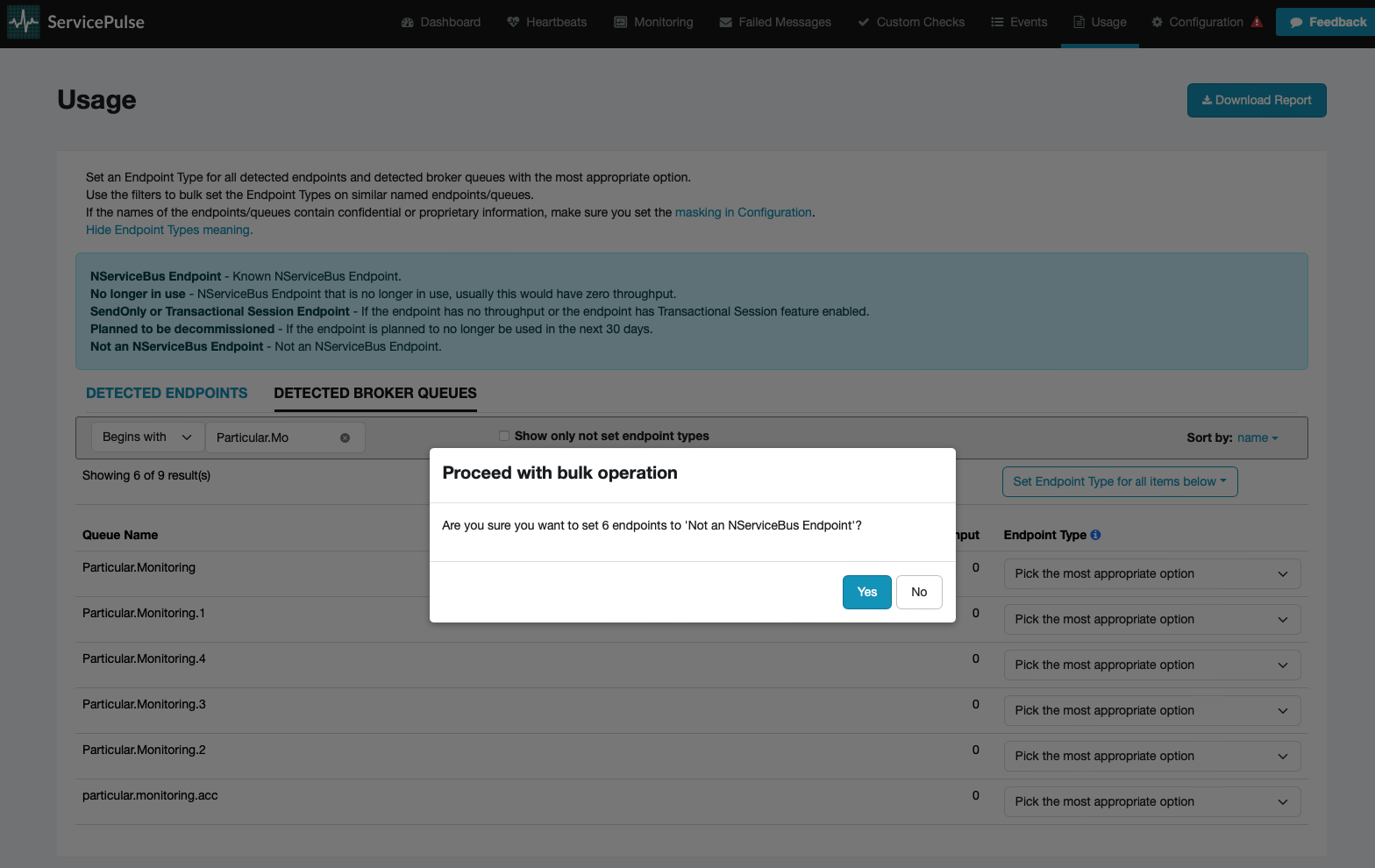
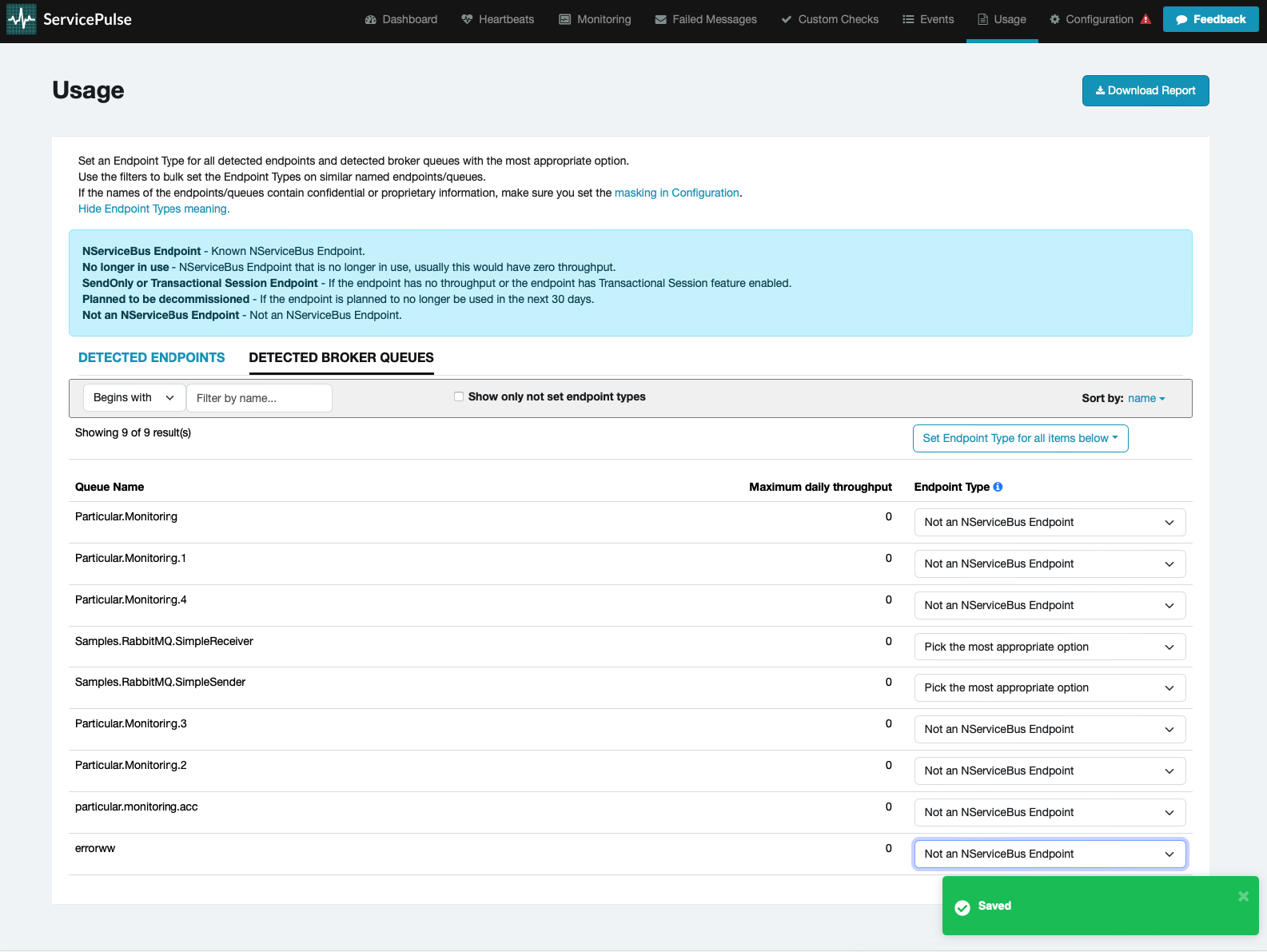
- All endpoints/queues on screen will be updated to the selected endpoint type and automatically saved.
Need help?
To get help downloading a usage report, open a support case.